NONorwegian
USEnglish (US)

Kongsberg Target Systems Knowledge

Contact us
English (US)
NONorwegian
USEnglish (US)
Home Range operator / administrator Getting started FAQ

    Please fill out the contact form below and we will reply as soon as possible.

    How to change language?

    Super Administrator

    Written By Markus Solberg (Super Administrator)

    Updated at September 12th, 2022

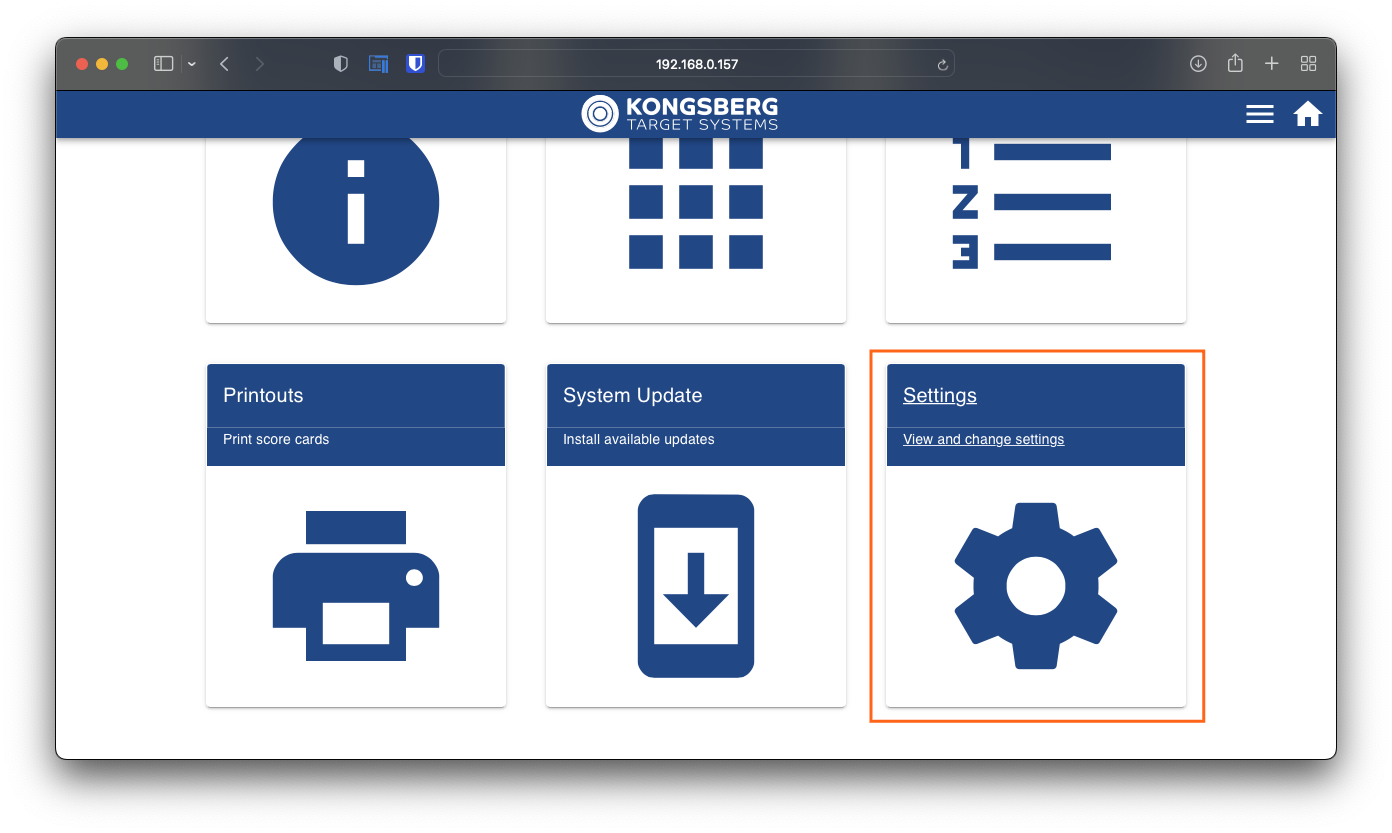
    Click or tap the settings page.
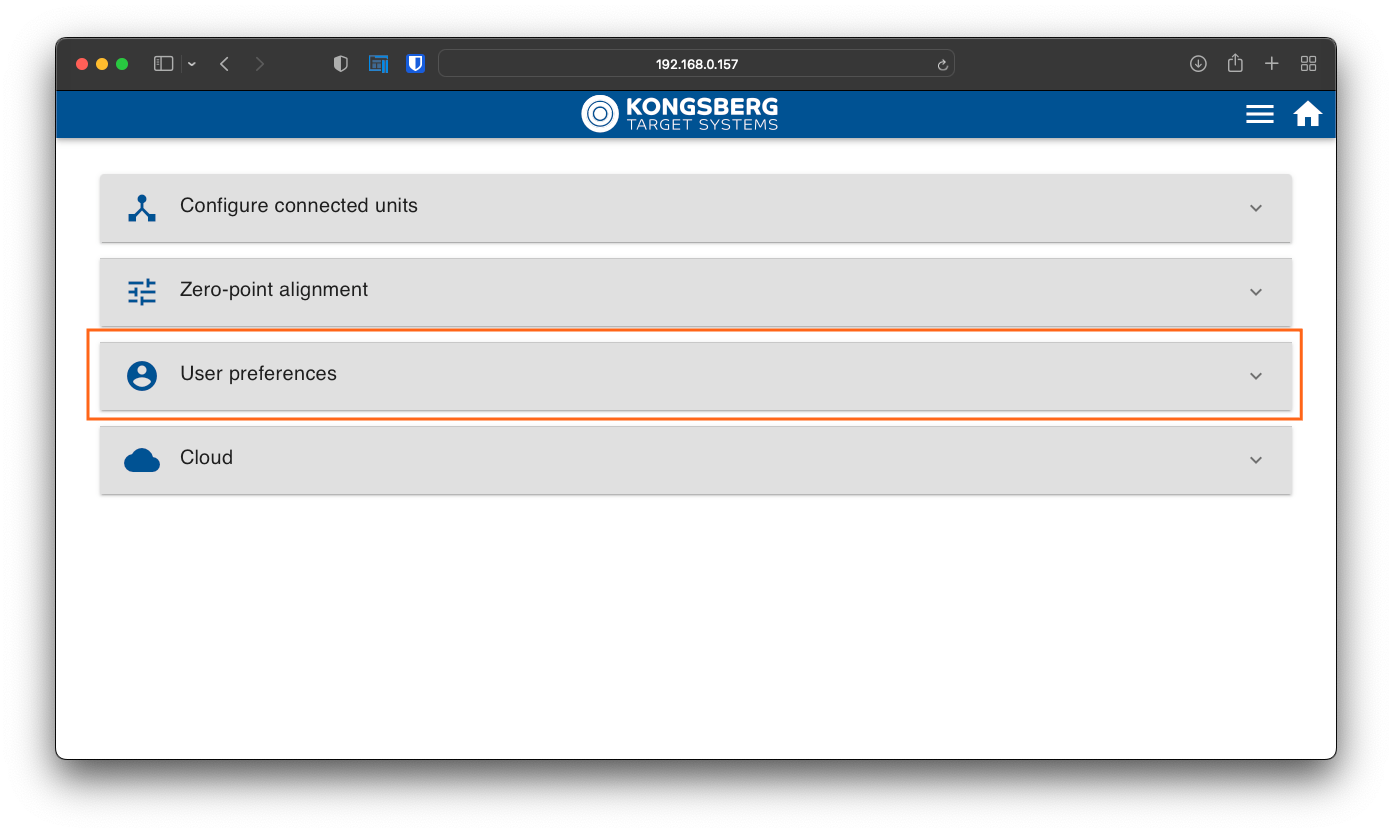
    Click or tap "User preferences"to expand.
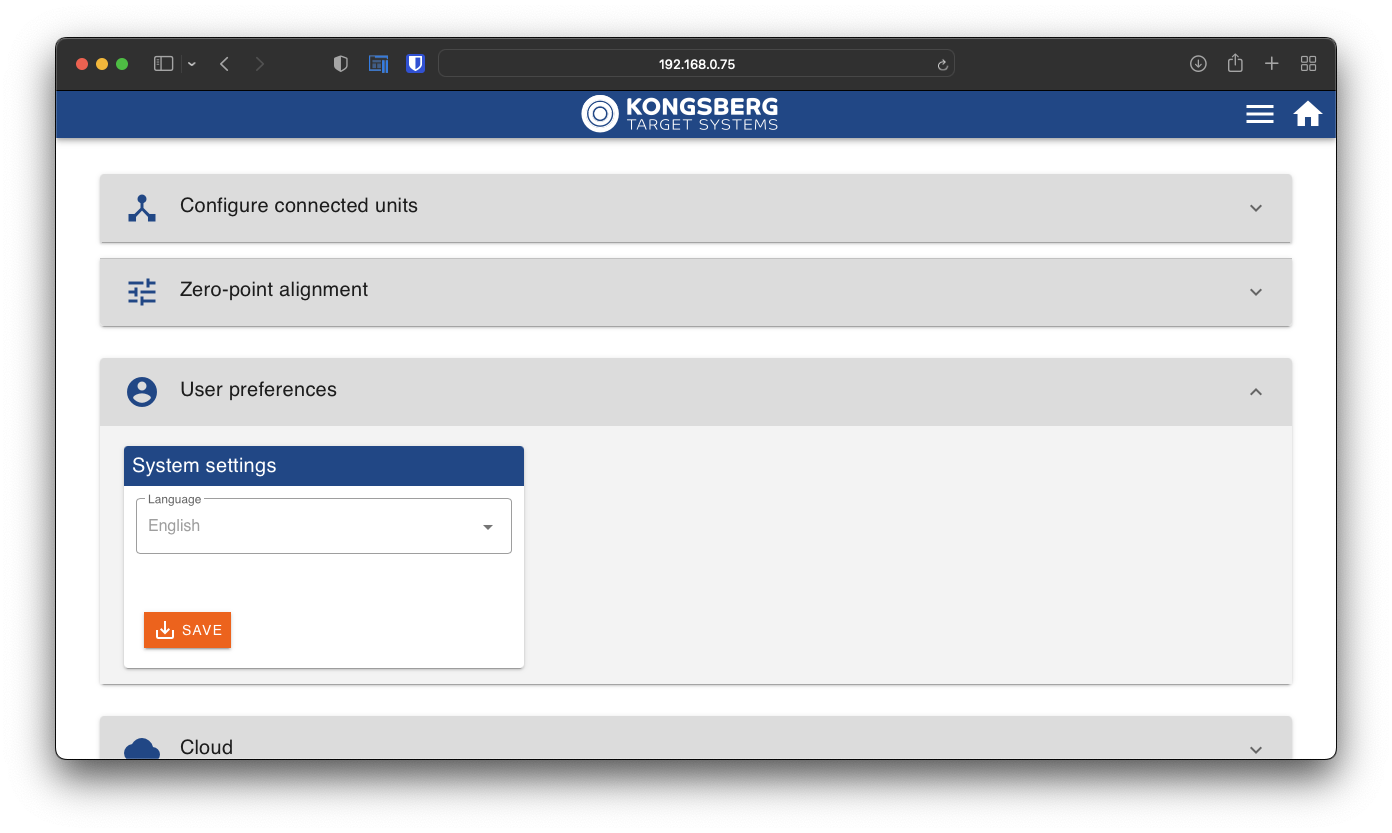
    Choose language from the drop-down list, and click or tap save.

    • ehub
    • language switch

    Was this article helpful?

    Give feedback about this article

    Related Articles

    How to register and configure connected units?

    All units are automatically identified by the system. But for eScore to know how ...

    How to connect to eHub through internal eScoreNet

    eScoreNet is the closed network for the eScore system only, securely connecting e...

    How to connect to eHub trough local shooting range network?

    Access to the eHub trough the local shooting range network Your PC or tablet, and...

    Starting the shooter monitor

    This article will guide you through the first start of the shooter monitor, and h...

    eScore by W5 Norway AS

    Privacy Policy Terms of Service

    ©2026 Kongsberg Target Systems. All Rights reserved.

    Knowledge Base Software powered by Helpjuice

    Definition by Author

    0
    0